It’s 11:43 PM on the last Tuesday of the month. Your account manager has been in a spreadsheet for four hours. Their eyes hurt. They’ve switched between GA4, Google Ads, and Meta Ads so many times the tabs have blurred together. And they’ve still got three more clients to go before tomorrow’s calls.
Sound familiar?
This is the reality of manual client reporting in 2026. And the worst part isn’t the lost sleep or the burnt-out team member. It’s that the report they produce at midnight — rushed, copy-pasted, formatted in a hurry — is the main thing your client will see from you this month. It’s your agency’s most visible deliverable. And it was built under the worst possible conditions.
Automated client reporting fixes all of this. Not just the hours — the quality, the consistency, the branding, and ultimately the client relationship. Done properly, it’s one of the highest-leverage changes a growing agency can make.
This guide covers everything. What automated client reporting actually is, why it matters more than most agencies realise, what to look for in a tool, how to set it up properly, and the specific ways it pays for itself. By the end, you’ll have everything you need to make the switch — or to finally justify it to whoever holds the budget.
What automated client reporting is and how it works · Why manual reporting is costing you more than you think · How to set up automated reporting step by step · What to look for in a reporting tool · Real numbers on time saved and clients retained · Answers to the most common questions agencies have.
What Is Automated Client Reporting?
Let’s start with a clear definition — because “automated reporting” gets used loosely and means different things to different people.
Automated client reporting is the use of software to automatically collect marketing performance data from multiple platforms, format it into a structured report, and deliver it to clients — without manual data pulling, copy-pasting, or formatting work.
That’s the core of it. But the best automated reporting tools go further than just pulling data. They also:
- Apply your agency’s branding — logo, colours, font — to every report automatically
- Generate plain-English summaries using AI, so clients don’t just see numbers but understand what they mean
- Schedule delivery so reports land in your client’s inbox on the same date every month, without anyone pressing send
- Pull from multiple platforms simultaneously — GA4, Google Ads, Meta Ads, GSC, PageSpeed — in a single unified report
The result is a report that looks like your team spent hours on it. But actually took about 60 seconds to generate.
“We went from spending a full Friday afternoon on reports to having them ready before breakfast. Same quality — actually better quality — and our clients started commenting on how polished they looked. We haven’t gone back.”
Manual Reporting vs Automated Reporting: The Honest Comparison
Before we get into the how, it helps to really understand the gap between the two approaches. Not just in time — in every dimension that matters.
- 4–6 hours per client per month
- Data pulled by hand from each platform
- Inconsistent quality across clients
- Reports often sent late or the night before calls
- Formatting done manually in slides or docs
- Generic copy-pasted summaries
- Human error risk on every number
- Account managers burned out every month-end
- Scales badly — every new client = more pain
- Under 60 seconds per client per month
- Live data pulled automatically via API
- Consistent quality across every client
- Reports scheduled and sent automatically on time
- Branded formatting applied instantly
- AI-written summaries ready to review and personalise
- Data pulled directly from source — no human error
- Account managers free to focus on strategy
- Scales effortlessly — 5 clients or 50, same effort
The difference isn’t subtle. It’s the difference between reporting being a monthly crisis and reporting being a quiet, professional process that just happens in the background.
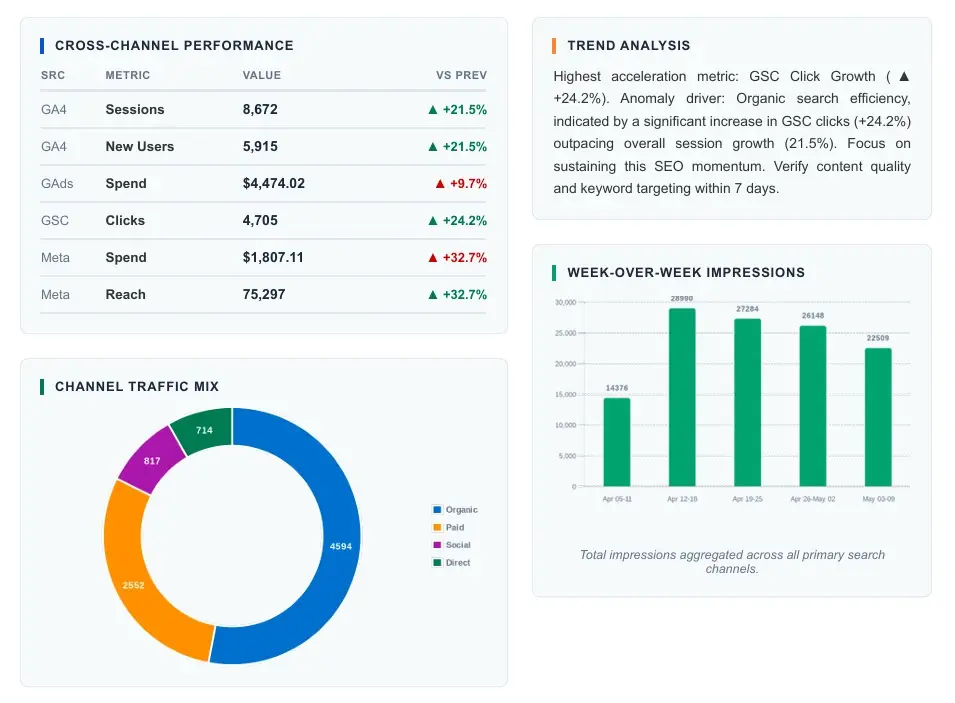
Automated client reporting pulls live data from every platform simultaneously — no manual exports, no version mismatches, no missed metrics.
The Real Cost of Manual Reporting (Do the Maths)
Most agencies underestimate what manual reporting actually costs them. Not just in hours — in real money. Here’s the calculation most people don’t sit down to do.
Manual Reporting Cost Calculator — 10 Client Agency
And that’s just the direct cost. It doesn’t account for the opportunity cost of what those 50 hours could have produced — client strategy, upsell conversations, new business pitches, or simply not burning out your best account manager.
It also doesn’t account for churn. Late, generic, or confusing reports are one of the top three reasons clients leave agencies. If automated reporting prevents even one client from churning per year, at an average retainer of $2,000–$3,000 a month, the ROI calculation becomes almost embarrassingly obvious.
How Automated Client Reporting Works — Step by Step
Understanding the mechanics helps you set it up properly and explains it confidently to clients or colleagues who ask. Here’s what actually happens under the hood.
Your platforms connect via API
The reporting tool connects directly to each data source — GA4, Google Ads, Meta Ads, Google Search Console, PageSpeed — using secure API connections. This happens once per client. After that, the tool pulls fresh data automatically every time a report is generated. No exports. No logins. No copy-paste.
Raw data is cleaned, structured and organised
The tool pulls the relevant metrics for the reporting period, checks for anomalies, and organises the data into the correct report sections. This is where the heavy lifting happens — and where human error is completely removed from the process.
A branded, formatted report is built automatically
The structured data gets dropped into your report template — complete with your agency logo, brand colours, client name, reporting period, and section headers. Charts are generated. Tables are formatted. The cover page is populated. All of it happens in seconds, not hours.
AI writes the plain-English summary
This is the part that feels almost magical the first time you see it. The AI reads the data and writes a plain-English narrative — summarising what happened in each channel, flagging what moved and why, and noting what deserves attention. Your account manager reviews and personalises it. Total time: 10–15 minutes instead of 5 hours.
The report sends automatically on the right date
You set a delivery schedule once — “send on the 1st of every month” or “send every Friday afternoon.” After that, the report generates and arrives in your client’s inbox automatically. No one needs to remember. No one needs to press send. It just happens, every time, on time.
“Automated client reporting doesn’t just save time. It removes the single biggest source of inconsistency in your agency’s client experience — and replaces it with something your clients can genuinely depend on.”
What to Look for in an Automated Client Reporting Tool
Not all reporting tools are built the same. Some are genuinely built for agencies. Others are built for enterprise data teams and retrofitted for smaller users. Here’s what actually matters when you’re choosing.
Native platform integrations — not just connectors
The tool should connect directly to GA4, Google Ads, Meta Ads, Google Search Console, and PageSpeed out of the box. Not through a third-party middleware layer that adds complexity and potential data lag. Native integrations mean faster, more reliable data.
True white-label branding
Your logo. Your colours. Your agency name on every page. No tool watermarks. No “Powered by [platform]” in the footer. The report should look like your team built it from scratch — because as far as your client is concerned, you did.
AI-written narrative summaries
Data without context is just noise. The best tools don’t just populate tables — they write plain-English commentary that explains what the numbers mean. This is what separates a report clients actually read from one they file away and forget.
Multiple output formats
Some clients want a PDF. Others want an Excel file they can dig into. Some want a Google Sheets link they can check any time. A good reporting tool supports all of these without requiring you to rebuild the report from scratch for each format.
Scheduled automatic delivery
If you still have to remember to press send, it’s not fully automated. The tool should handle delivery entirely — generating and sending on your chosen schedule, every time, without any manual trigger.
Designed for agencies specifically
Agency reporting has specific needs: multiple clients, multiple platforms per client, white-label branding, and account-level organisation. Tools designed for individual businesses or enterprise data teams often lack these features or make them awkward to use. Choose something built for the agency workflow.
RaiseReturn ticks every box: Native GA4, Google Ads, Meta Ads, GSC and PageSpeed integrations. Full white-label branding. AI-written summaries. PDF, Excel and Google Sheets output. Scheduled automatic delivery. Built exclusively for marketing agencies. Try it free for 30 days →
How to Set Up Automated Client Reporting — A Practical Guide
One of the biggest hesitations agencies have is around setup complexity. The truth is, for a well-designed tool, you can be fully up and running in a single afternoon. Here’s how to do it right.
Day 1: Connect your data sources
Start with your highest-volume client. Connect their GA4 property, Google Ads account, Meta Ads account, GSC property, and PageSpeed URL. Verify that data is pulling correctly before moving to the next client. Most tools walk you through this with a simple OAuth flow — no technical knowledge required.
Day 1: Set up your branded template
Upload your agency logo. Set your brand colours. Choose your font. Configure the cover page with your agency name and contact details. Do this once and it applies to every report you generate. This is the step most agencies skip and immediately regret — a generic-looking report undermines everything else.
Day 1–2: Configure per-client report sections
Decide which sections each client needs. An e-commerce client needs ROAS and revenue front and centre. A lead generation client needs CPL and conversion volume. A local business client might care most about GSC visibility and PageSpeed. Tailor the section order and emphasis per client — it takes five minutes per account and makes a significant difference in how relevant the report feels.
Day 2: Set your delivery schedule
Configure when each client’s report generates and sends. Most agencies use the 1st or 2nd of the month. Some send on a fixed day of the week. Whatever rhythm your client expects — set it once and let the tool handle it permanently.
Week 2 onwards: Review, personalise, send
After the first automated generation, review the output. Check the AI-written summaries for accuracy. Add a personalised paragraph for any clients who had a particularly notable month — a big win to call out, a tough patch to explain, a new campaign to introduce. This review step should take 10–15 minutes per client. That’s it. That’s the new reporting process.
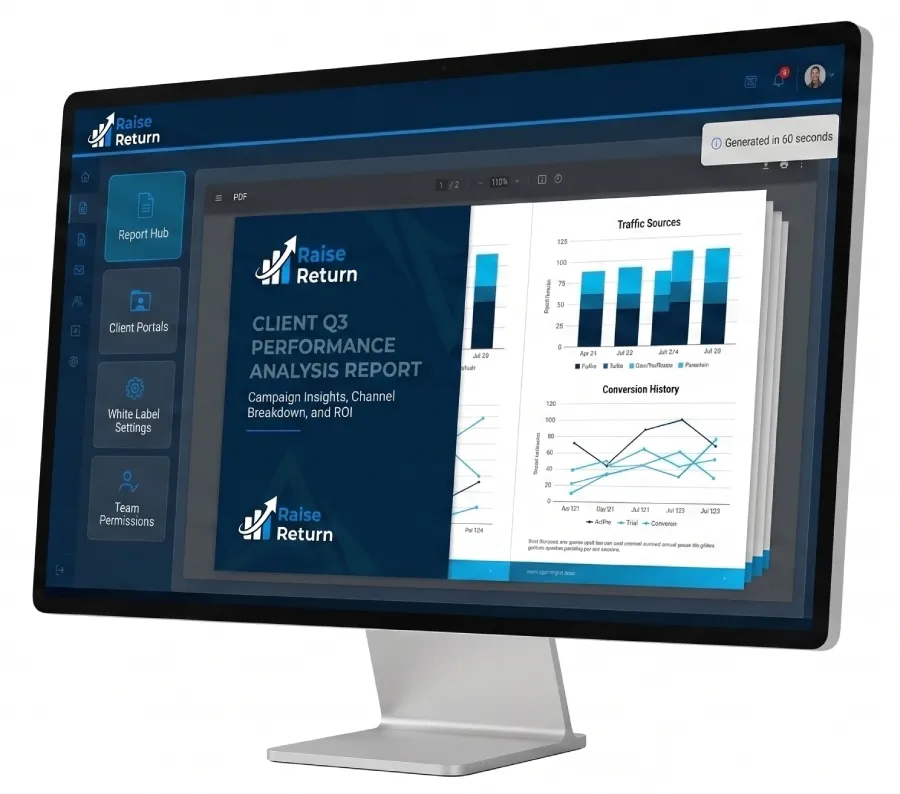
A well-configured automated report arrives looking polished and intentional — because the setup work is done once, not rebuilt from scratch every month.
How Automated Reporting Directly Improves Client Retention
This is the business case that often gets overlooked. Most agencies think about automated reporting as a time-saving tool. It is. But it’s also a retention tool — and that’s where the real financial impact lives.
Here’s the chain of causation: automated reporting means reports go out on time, every month, without fail. Consistent reports build a rhythm. That rhythm builds client confidence. Confident clients don’t go shopping for other agencies — even during months when results are down.
Compare that to the alternative. A late report. A generic one. One that arrives with the wrong logo still in the template, or that lists last month’s numbers because someone copy-pasted the wrong tab. Clients notice. They don’t always say something. But they notice. And doubt compounds quietly over months until one day they send the email you were hoping not to get.
Automated client reporting removes the conditions that create that doubt. It gives every client — not just your top five — the consistent, polished experience they deserve.
The retention maths: If your average retainer is $2,500/month and you retain one additional client per year because your reporting experience is excellent, that’s $30,000 in revenue. RaiseReturn costs a fraction of that. The ROI case for automated client reporting isn’t close — it’s overwhelming.
Frequently Asked Questions About Automated Client Reporting
Ready to automate your client reporting?
RaiseReturn connects to GA4, Google Ads, Meta Ads, GSC, and PageSpeed — and generates fully branded, AI-written reports in under 60 seconds. Join hundreds of agencies already saving 20–40 hours a month. Your first 30 days are completely free.
Start Your Free Trial — No Card Needed →The Bottom Line
Automated client reporting isn’t a luxury for large agencies. It’s a practical, financially obvious upgrade for any agency managing more than five clients.
The hours your team spends on manual reporting every month aren’t just costing you money. They’re costing you quality. Because the reports being built at midnight, under time pressure, with copy-pasted data and rushed summaries — those are the reports your clients are forming opinions about. Those are the reports that either keep clients confident or quietly plant the seeds of doubt.
Automated client reporting fixes that. It makes every client — your biggest retainer and your smallest — feel like they’re getting the same level of attention. It makes your agency look more professional than your competitors. And it gives your best people back the time they need to do the work that actually moves the needle.
The agencies building sustainable, scalable, profitable businesses in 2026 aren’t the ones working hardest on reporting. They’re the ones who stopped doing it manually a long time ago.
If that’s not you yet — it can be by this time next week.