Ask around at any agency about their Looker Studio dashboard, and you’ll usually get one of two answers. Either they don’t have one, or they built one months ago and haven’t touched it since. Rarely does anyone say it’s working exactly as intended.
That’s not a coincidence. It’s a pattern.
One agency that builds Looker Studio dashboards for a living actually admitted this openly in their own marketing copy — they’ve seen plenty of client dashboards get built, then left to gather dust. Coming from a company selling Looker Studio services, that’s a genuinely striking thing to say out loud. Worth understanding why it happens so often.
The Free Promise, and What It Actually Costs
Google Looker Studio costs nothing to use. That’s the entire pitch, repeated across nearly every guide written about it. Specifically, connect your data sources, build a dashboard, share it with clients — all without a subscription fee attached.
However, “free” only describes the software license. The actual cost shows up somewhere else entirely — in the hours spent building the dashboard correctly, then the hours spent maintaining it every time a connector breaks or a platform updates its API. Consequently, the true price of a Looker Studio dashboard is staff time, and staff time isn’t free at any agency.
“We built a genuinely nice Looker Studio dashboard for our biggest client. Took a solid week to get right. Three months later, the Meta connector broke silently. Nobody noticed for two weeks because nobody was checking — everyone assumed it was still working since nobody complained. That’s when I realized we’d built something nobody actually owned.”
The Predictable Lifecycle of an Abandoned Dashboard
Specifically, this pattern repeats itself with remarkable consistency across agencies of every size. Here’s roughly how it plays out, almost every single time.
Someone gets genuinely excited about it
A team member spends real hours connecting data sources, building charts, applying colors that vaguely match the client’s brand. It looks great. Everyone’s impressed in the demo.
The link goes out, the client checks it a couple times
Excitement peaks. The client logs in once, maybe twice. Genuinely appreciates the effort. Nobody yet knows this dashboard has no assigned owner going forward.
A connector fails, quietly, without warning
An API changes, a permission expires, something stops updating. Looker Studio doesn’t alert anyone. The dashboard keeps displaying stale data as if nothing happened.
Nobody notices, because nobody’s checking anymore
The client stopped logging in weeks ago. The agency stopped monitoring it entirely. Technically, the dashboard still exists. Functionally, it’s dead — and everyone involved has quietly reverted to manual reports.
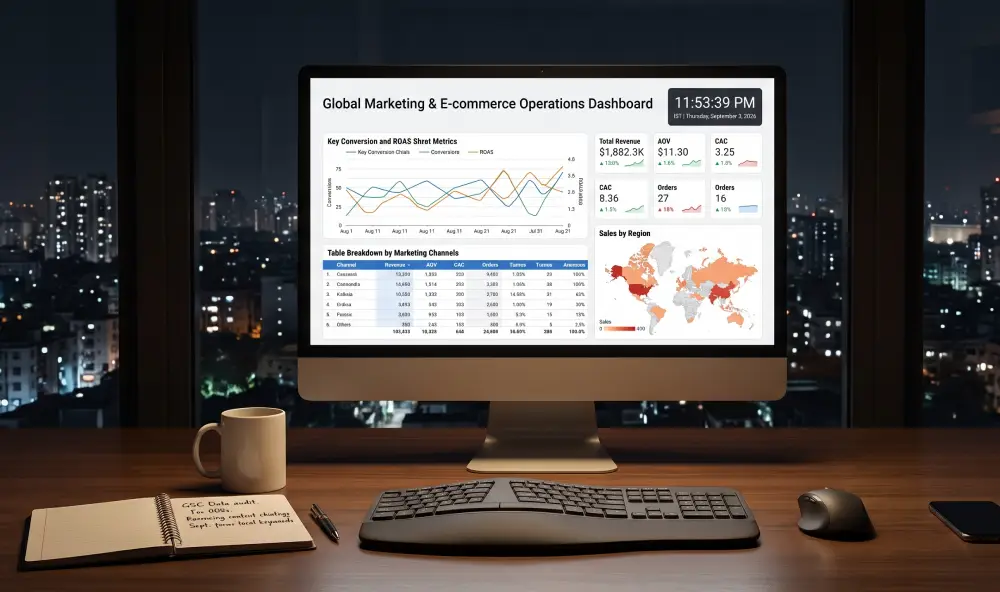
A dashboard built with genuine enthusiasm still needs an owner — and most agencies never assign one.
Why This Cycle Repeats So Consistently
Specifically, the root cause isn’t laziness or bad tooling. It’s ownership. A Looker Studio dashboard is self-managed software, meaning the responsibility for keeping it accurate sits entirely with whoever built it. Furthermore, most agencies never formally assign that ongoing responsibility to anyone specific.
Consequently, the dashboard becomes an orphaned project the moment the person who built it moves on to the next client, the next campaign, the next fire that needs putting out. Nobody decided to abandon it. It just happened, gradually, because nobody’s job description included “watch this dashboard forever.”
“Free software isn’t actually free once you count the hours someone has to spend keeping it alive. That bill just shows up as your own team’s time instead of an invoice.”
What “Free” Actually Costs an Agency at Scale
Specifically, this math gets significantly worse as client count grows. One dashboard is manageable, if barely. Fifteen dashboards, each with its own connectors, its own maintenance needs, its own risk of quietly breaking, becomes a genuine operational burden that scales faster than most agencies expect.
| Client Count | Monthly Maintenance Time | Realistic Outcome |
|---|---|---|
| 1-2 dashboards | 2-4 hours | Manageable, if someone owns it |
| 5-8 dashboards | 10-20 hours | Starts competing with billable work |
| 15+ dashboards | 30+ hours | Dashboards begin silently breaking unnoticed |
Notice what happens in that bottom row. Past a certain client count, the maintenance burden of “free” Looker Studio dashboards genuinely exceeds what a paid, purpose-built tool would have cost — just paid in staff hours instead of a subscription line item.
The Other Problem — Client-Readiness
Specifically, even a well-maintained Looker Studio dashboard has a second issue that rarely gets discussed openly. One reviewer summed it up bluntly: it’s not meant to be pretty. The default visual style requires real design effort to feel genuinely branded, and even then, dashboards typically show raw numbers without any narrative explaining what they mean.
Consequently, a client staring at a live dashboard still needs someone to interpret it for them — which defeats a chunk of the “self-serve, always-updated” promise that made Looker Studio appealing in the first place. The client gets access to data. They don’t automatically get understanding.
Looker Studio genuinely excels at flexible, real-time data visualization for teams with the time to build and maintain it properly. Where it struggles is exactly where agencies feel the most pain at scale — ongoing upkeep across many clients, and turning raw numbers into something a non-technical client actually understands without a follow-up call.
What Changes When Reporting Doesn’t Need a Dedicated Owner
Specifically, the alternative to the abandonment cycle isn’t necessarily abandoning Looker Studio’s core idea — live data, pulled automatically, presented clearly. It’s removing the maintenance burden that causes the abandonment in the first place.
A purpose-built reporting tool handles connector maintenance centrally, rather than leaving it to whoever happened to build the original dashboard. Furthermore, it pairs the data with a written explanation of what changed, closing the client-readiness gap that raw dashboards leave open. Nobody has to remember to check whether a connector quietly broke three weeks ago.
What this looks like in practice: Instead of one team member owning a dashboard indefinitely, data connections get managed at the platform level, with automatic error handling built in. Reports generate on schedule, with branding and narrative already applied. Nothing gets abandoned, because nothing depends on one person remembering to maintain it.
Reporting that doesn’t need a dedicated owner
RaiseReturn connects to GA4, Google Ads, Meta Ads, Search Console, and PageSpeed automatically, with built-in maintenance and a written explanation of what changed every month. Fully branded reports in under 60 seconds, no dashboard to babysit. 30-day free trial, no credit card required.
Start Your Free Trial →Frequently Asked Questions
Free software still costs something. It just charges in hours instead of dollars, and that bill comes due quietly, one broken connector at a time, until a dashboard nobody meant to abandon just stops being useful.
Build it if you’ve got the ownership to sustain it. Otherwise, let something else carry that weight.