Here’s a scenario that plays out inside almost every marketing team, every single month. The automation platform sends a performance summary — open rates, click rates, sequences completed, leads generated. Separately, Google Analytics shows traffic, conversions, and revenue. Neither report talks to the other. Consequently, nobody actually knows whether the marketing automation is making money.
That’s not a data problem. It’s a connection problem.
Furthermore, marketing automation and Google Analytics are two halves of the same answer. Specifically, your automation platform knows what it sent and who clicked. However, Google Analytics knows what those people did after they clicked — which pages they visited, how long they stayed, and whether they converted. Therefore, treating these as separate tools produces reports that are individually impressive and collectively useless.
The Expensive Disconnect Most Teams Live With
Specifically, most marketers check their automation platform dashboard and their Google Analytics reports in different tabs on different days. Furthermore, they summarise both in the same monthly report without ever connecting them. Consequently, they end up with a situation where the automation says “great open rates” and Google Analytics says “not much revenue from email” — and nobody resolves the contradiction.
The contradiction is resolvable. It just requires setting up the connection properly, which most teams never do because nobody specifically owns both tools at once.
“Our email automation has a 34% open rate and a 6% click rate. We’re thrilled with it.” Meanwhile, GA4 shows email drives 2% of their revenue. Those numbers don’t conflict — they just reveal that people are clicking and then leaving immediately. The automation is performing. The landing experience isn’t. However, they never knew that because the two data sources never spoke to each other.
How Marketing Automation and Google Analytics Actually Work Together
Specifically, marketing automation handles the send side — the emails, the triggered sequences, the lead nurturing flows, the re-engagement campaigns. Furthermore, Google Analytics handles the receive side — what happens to people after they arrive on your website from one of those sends.
Therefore, a properly connected setup creates a feedback loop. Specifically, Google Analytics tells your automation platform which leads are actually converting, which pages are closing deals, and which sequences are producing visitors who bounce immediately. Consequently, your automation team uses that data to improve sequences, change timing, and prioritise the messages that actually drive revenue.
Automation sends
Email sequence fires with UTM-tagged links to landing pages
GA4 tracks
Google Analytics records the session, behaviour, and conversion outcome
Revenue attributed
GA4 connects the email touchpoint to the purchase or conversion event
Strategy improves
Automation sequences update based on what GA4 shows actually converts
However, this loop only works when the two tools actually talk to each other. Specifically, the link between them is UTM parameters — and most automation platforms let you set these once per campaign template and then forget about them. Consequently, every email that goes out automatically carries the tracking tags GA4 needs to attribute revenue correctly.
UTM Parameters — The Bridge Between Automation and GA4
If you’ve never set up UTM parameters properly, this is the single highest-leverage thing you can do this week. Specifically, UTM parameters are short tags you add to the end of any link in your automated emails. Furthermore, Google Analytics reads those tags and uses them to classify the traffic source, medium, and campaign name for every session that arrives.
Without UTM parameters, Google Analytics has no way to know a visitor came from your automated email sequence. Consequently, it either classifies them as Direct traffic or misattributes them to a different channel entirely. Therefore, your automation platform shows strong click data while GA4 shows almost nothing from email — and both are technically correct.
| UTM Parameter | What it tracks | Example value |
|---|---|---|
| utm_source | Where the traffic came from | mailchimp / klaviyo / hubspot |
| utm_medium | The type of channel | |
| utm_campaign | The specific campaign name | may-nurture-sequence |
| utm_content | Which link inside the email | cta-button / hero-image |
| utm_term | Keyword or audience segment | trial-users / cold-leads |
Specifically, most automation platforms let you set campaign-level UTM parameters once in the settings — and every link in that campaign automatically inherits them. Furthermore, some platforms like Klaviyo, HubSpot, and ActiveCampaign even have native Google Analytics integration that does this automatically. Therefore, the setup takes about fifteen minutes per campaign and pays back in attribution clarity every single month after that.
Setting Up GA4 Conversion Events for Automation Funnels
UTM parameters tell GA4 where visitors came from. However, conversion events tell it what those visitors did. Furthermore, without conversion events set up correctly in GA4, you can track that an email sequence drove traffic — but you can’t track whether that traffic actually completed anything meaningful.
Specifically, GA4 lets you mark any event as a conversion — a form submission, a purchase, a booking, a free trial signup, a page view on a thank-you URL. Therefore, every meaningful action in your automation funnel should have a corresponding GA4 conversion event.
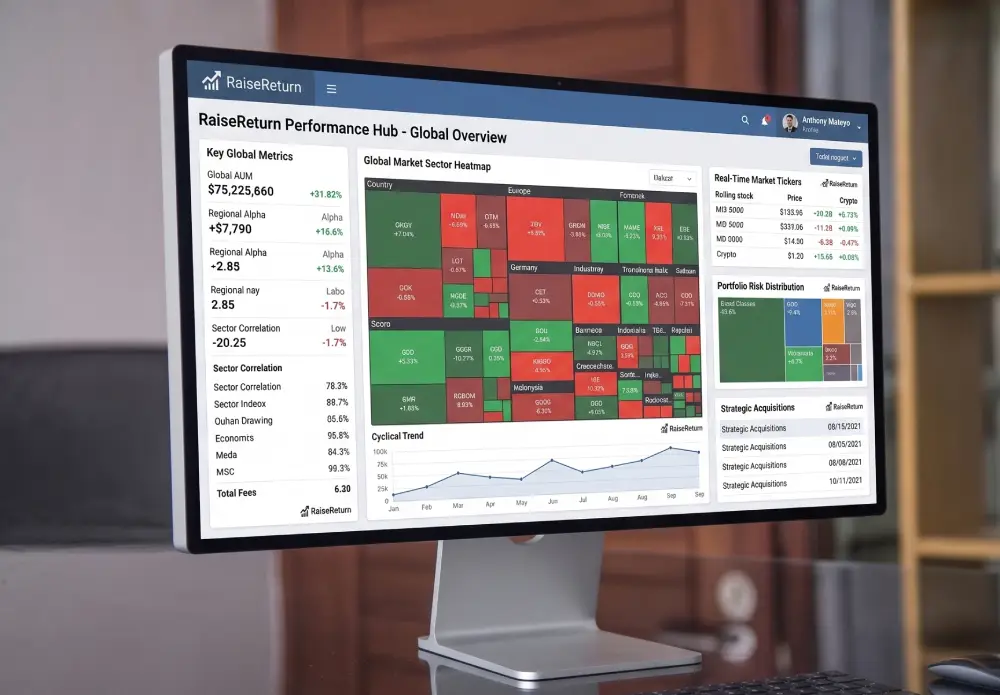
When GA4 conversion events map to your automation funnel stages, you can see exactly which sequences drive the most revenue — not just the most clicks.
The automation funnel events you should track in GA4
Specifically, map your automation funnel stages to GA4 events, and mark each one as a conversion:
- Lead magnet download — tracks top-of-funnel entry into your automation sequence
- Free trial signup — tracks when automation converts a prospect to an active user
- Demo booked — tracks sales intent signals generated by nurture sequences
- Purchase completed — the revenue event that closes the attribution loop
- Subscription renewed — tracks long-term revenue influenced by retention automation
Furthermore, once these events are live in GA4, you can filter your Traffic Acquisition report to the email channel and see exactly how much revenue your marketing automation drove — broken down by campaign, by sequence, and by individual email. Consequently, the “which automation is actually working” question gets a concrete, data-backed answer instead of a gut feeling.
“Marketing automation without Google Analytics attribution is like running a restaurant where you track how many people read the menu but never check how many ordered food.”
Using GA4 Audiences to Power Smarter Automation
Specifically, this is where the relationship between marketing automation and Google Analytics gets genuinely powerful — and where most teams leave the most value on the table. Furthermore, GA4 lets you build audiences based on website behaviour, and those audiences can feed directly into your automation triggers.
Specifically, consider what you can do with GA4 audience data in your automation platform. Here are the most effective combinations:
Trigger sequences based on page behaviour
Specifically, create a GA4 audience of users who visited your pricing page more than twice in seven days without converting. Furthermore, export that audience to Google Ads and use it to trigger a remarketing sequence specifically for high-intent visitors who didn’t quite tip over. Consequently, your automation responds to real buying signals rather than arbitrary timing rules.
Suppress automation for converted users
Specifically, build a GA4 audience of users who completed a purchase event in the last 30 days. Furthermore, use that audience to suppress those users from receiving acquisition-focused automation sequences. Consequently, you stop sending “have you considered buying?” emails to people who already bought — which, embarrassingly, happens constantly in teams that don’t connect these two tools.
Re-engage based on engagement drop-off
Specifically, create a GA4 audience of users who visited the site regularly for 60 days and then stopped. Furthermore, feed that audience into a re-engagement automation sequence. Therefore, your marketing automation responds to actual disengagement signals from the data — not just the absence of an email open.
Specifically, GA4 tells you who is engaged, who converted, and who disappeared. Furthermore, your automation platform acts on each of those signals with targeted, timed messaging. Therefore, instead of sending the same sequence to your entire list, you send the right message to the right person based on what they’ve actually done on your site. Consequently, conversion rates improve without requiring more leads — just smarter segmentation.
Why Your Marketing Automation Reports Need GA4 Data Inside Them
Specifically, most marketing automation platforms produce their own reports — open rates, click rates, unsubscribe rates, sequence completion rates. Furthermore, those reports are useful but incomplete. However, they only tell you what happened inside the email. Consequently, they miss everything that matters most — what happened after the click.
Therefore, a genuinely complete marketing automation report needs Google Analytics data alongside the email platform data. Specifically, that means showing, for each campaign: emails sent, clicks, click rate, GA4 sessions from that campaign, GA4 conversions from those sessions, and revenue attributed. Furthermore, with that full picture, you can see which campaigns are driving high click rates but low conversion — which usually means strong subject lines but weak landing pages — versus which campaigns drive lower clicks but high revenue per click.
What this looks like in a real report: Campaign A — 2,400 emails, 6.2% CTR, 149 clicks, 8 conversions, $4,800 revenue. Campaign B — 2,400 emails, 4.1% CTR, 98 clicks, 14 conversions, $8,400 revenue. Furthermore, Campaign B looks weaker on email metrics. However, it drives nearly twice the revenue per email sent. Consequently, that’s where you put more budget and more creative attention — and you’d never know it without the GA4 attribution layer.
How Automated Client Reporting Ties This Together
Specifically, if you’re an agency managing marketing automation for clients, the reporting challenge doubles. Furthermore, you need to pull data from the automation platform and from Google Analytics and present both coherently in a client report that a non-technical business owner can actually understand.
Consequently, most agencies handle this by manually exporting from both platforms, stitching the data together in a spreadsheet, and writing a summary paragraph that tries to connect the dots. Moreover, that process takes hours per client and still often produces reports where the email metrics and the GA4 data sit in separate sections with no connection drawn between them.
RaiseReturn pulls GA4 data automatically and structures it alongside your other channel data — all in one branded, AI-written report that ties the story together. Furthermore, your account managers review the draft instead of building it from scratch. Therefore, the complete marketing automation picture — what the automation sent, what GA4 measured, and what the revenue outcome was — appears in one coherent document, every month, automatically.
Connect your marketing automation data with GA4 — automatically
RaiseReturn pulls GA4, Google Ads, Meta Ads, Search Console, and PageSpeed into one branded, AI-written client report in under 60 seconds. Give every client the full marketing automation picture — not just the email metrics. First 30 days free.
Start Your Free Trial →Five Marketing Automation Mistakes That Google Analytics Exposes
Specifically, once you properly connect marketing automation to Google Analytics, some uncomfortable truths tend to surface. Furthermore, here are the five most common ones — and what to do about each.
Missing UTM parameters on all automated links
Specifically, all your email clicks show as Direct traffic in GA4. Furthermore, this makes your automation look invisible in the data. Therefore, audit your automation templates and add UTM parameters to every link before the next send cycle.
No conversion events for automation funnel stages
Consequently, you track clicks but not outcomes. Furthermore, GA4 can’t show which sequences drive revenue without conversion events mapped to each funnel stage. Therefore, set up events for every meaningful action in your automation flow.
Sending converted customers acquisition sequences
Specifically, this happens when your CRM and GA4 don’t share audience data. Furthermore, it damages trust and inflates unsubscribe rates. Therefore, build a GA4 audience of recent converters and suppress them from top-of-funnel sequences immediately.
Optimising for email opens instead of revenue
Specifically, open rate is a vanity metric without GA4 revenue attribution alongside it. Furthermore, an email with a 40% open rate and a 0.3% conversion rate is not a success. Therefore, always evaluate automation performance with GA4 revenue data, not email platform metrics alone.
Never updating sequences based on GA4 behaviour data
Consequently, automation becomes stale. Furthermore, most teams set up sequences once and leave them running indefinitely. Therefore, review GA4 attribution data quarterly and update sequences where click-to-conversion rates have dropped below your target threshold.
Common Questions About Marketing Automation and Google Analytics
Specifically, marketing automation and Google Analytics aren’t two separate tools competing for your attention. Furthermore, they’re two parts of one system — and the system only works when both parts connect. Therefore, the next time your automation platform reports strong engagement while GA4 shows flat revenue, don’t dismiss the contradiction.
Follow it. That’s where the money is hiding.